How to save recipes from Instagram
Save Recipes from Instagram
RecipeMind makes it easy to save any recipe you find on Instagram:
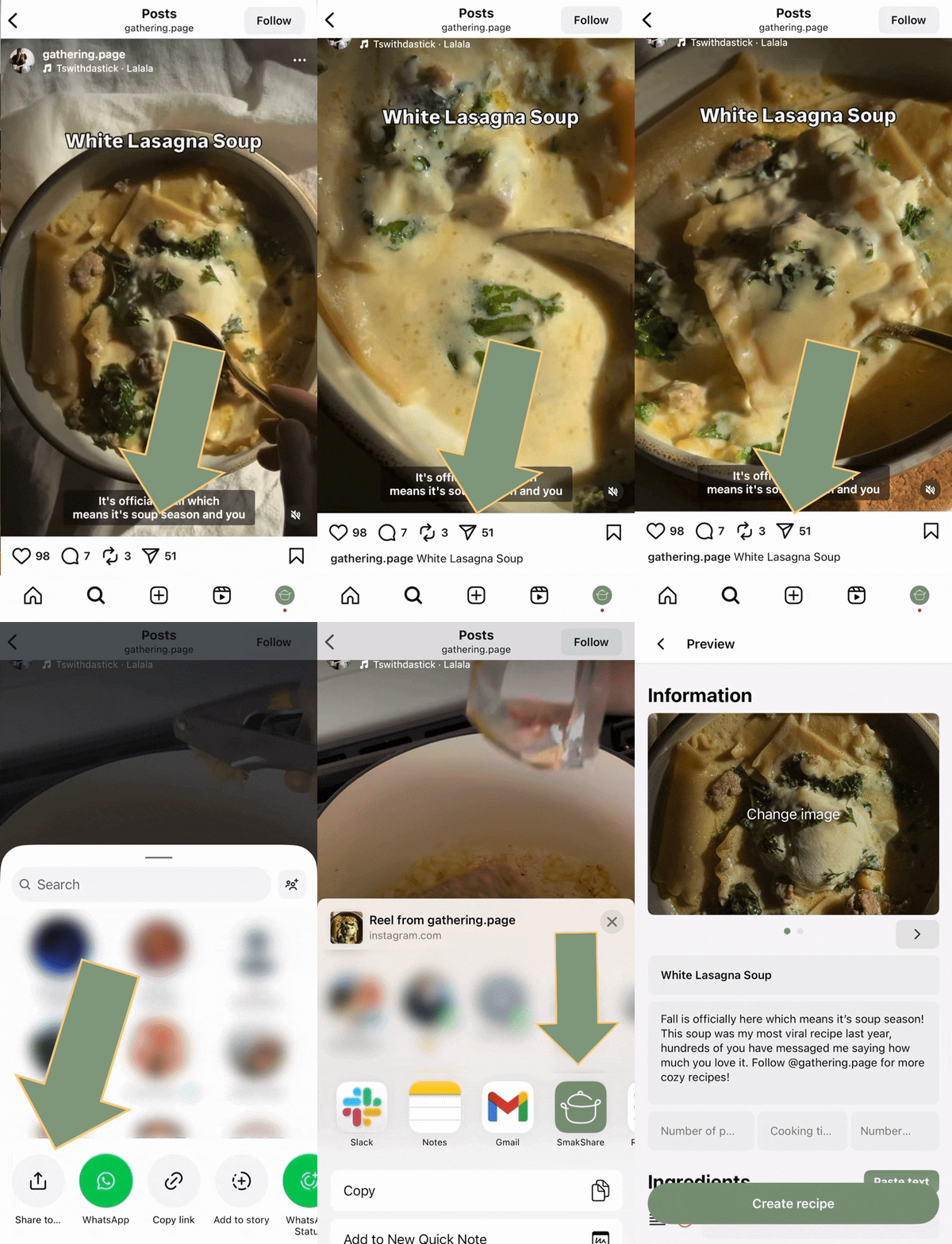
Method 1: Share directly
- Find the recipe post or reel on Instagram
- Tap the share button (paper plane icon)
- Select "RecipeMind" from the share menu
- RecipeMind's AI will automatically extract the recipe
Method 2: Copy link
- Tap the three dots on the Instagram post
- Select "Copy Link"
- Open RecipeMind and paste the link
- The recipe will be imported automatically
Our AI extracts the recipe name, ingredients, cooking instructions, and photos from the Instagram content.